
J.Smart Board review: Android + Windows dual OS — is it worth it?Smart board Android Windows Malaysia
- Joane Chong
- Jun 7
- 3 min read

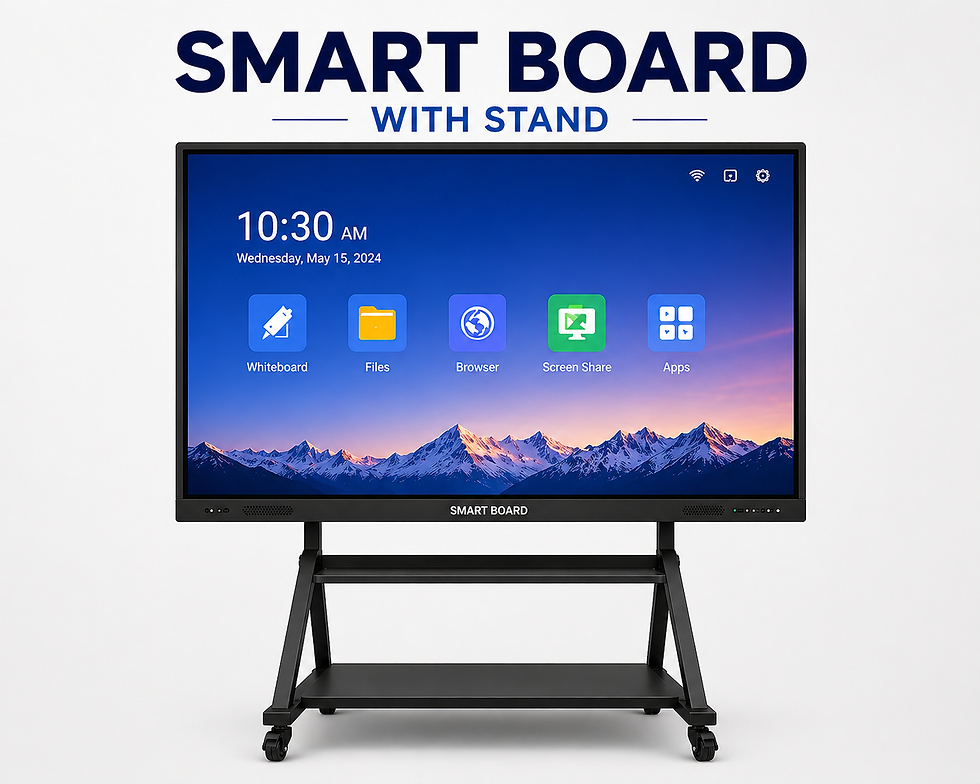
The J.Smart Board is one of the few interactive flat panel displays in Malaysia that offers a genuine dual operating system experience — Android and Windows running side by side on a single screen, switchable with a single tap.
But does having two operating systems on an interactive whiteboard actually make a difference in real-world use? Or is it just a marketing gimmick?
We installed, tested, and used the J.Smart Board across classrooms, training rooms, and office meeting rooms in Kedah and Penang. This is our honest, detailed review — covering everything from display quality and touch response to real-world Android and Windows performance.
J.Smart Board — quick specs at a glance
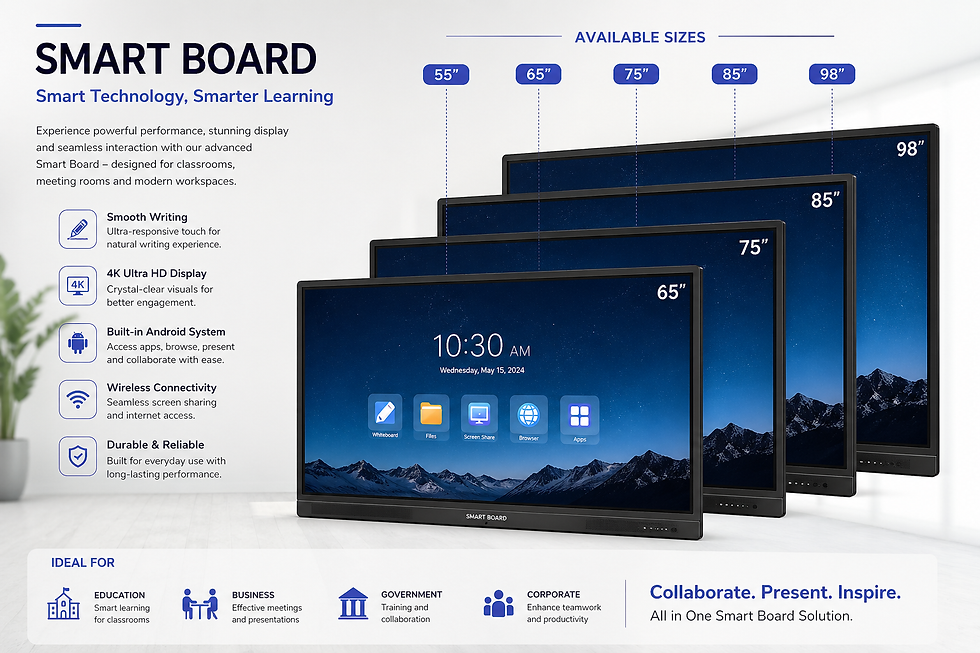
• Display: 4K UHD IPS panel, anti-glare glass
• Sizes available: 55", 65", 75", 85", 98"
• Built-in OS: Android (latest stable build)
• Windows: Via OPS (Open Pluggable Specification) slot — full Windows 11 capable
• Touch: Multi-touch (up to 20 points), smooth capacitive-style response
• Whiteboard: Built-in app — write, annotate, save, share, and export
• Connectivity: Wi-Fi, Bluetooth, HDMI x2, USB-A x3, USB-C, LAN
• Wireless sharing: Built-in — mirror from iPhone, Android, Windows, Mac
• Audio: Built-in stereo speakers
• Installation: Available across Kedah, Penang, Perlis, and Perak via Smart2System
Android OS — the everyday workhorse
Android is the board's primary operating system for most users, and it handles daily tasks exceptionally well. Think of it as a very large, very capable Android tablet mounted on your wall.
What you can do on Android mode:
• YouTube — full-screen video playback for educational content
• Google Meet & Google Classroom — join or host classes without a laptop
• Chrome browser — access any website or web-based tool
• Google Drive & Slides — open and present documents directly from the cloud
• Educational apps — install from the Play Store for interactive lessons
• Built-in whiteboard — draw, annotate, and save notes in seconds
• Wireless screen mirroring — students and teachers mirror from any device
The Android experience is snappy and responsive. There is no noticeable lag when switching apps, writing on the whiteboard, or playing 4K video. For the majority of classroom and meeting use cases, Android alone is more than enough.
Teacher tip: Use Google Classroom on Android to pull up assignments, annotate directly on the board, and save your notes as a PDF to share with the whole class — all without touching a laptop.
Windows via OPS — when Android is not enough
Here is where the J.Smart Board becomes genuinely unique. The OPS (Open Pluggable Specification) slot is a hidden compartment at the side or rear of the board that accepts a mini PC module running full Windows 11.
Switching from Android to Windows is a single tap on the input selector. There is no reboot, no waiting — the Windows desktop appears in seconds.
What Windows OPS unlocks:
• Microsoft Office — Word, Excel, PowerPoint natively, not web versions
• Zoom desktop — full Zoom with all features, including breakout rooms and polls
• Microsoft Teams — full desktop client with file sharing and calendar integration
• Any Windows software — accounting tools, school management systems, design apps
• USB peripherals — plug in a keyboard or mouse and use the board like a PC
• Local file management — save files directly, no cloud dependency
For corporate training rooms and offices, this is transformative. Instead of asking presenters to bring a laptop, connect via HDMI, hope the cable works, and then disconnect — everything runs from the board itself.
Wireless screen sharing — no more cable chaos
The J.Smart Board supports wireless screen mirroring from virtually any device, built into the Android OS with no additional hardware required.
• iPhone & iPad: AirPlay — mirror directly, no app needed
• Android phones & tablets: Miracast or the built-in Cast function
• Windows laptops: Miracast — built into Windows 10 and 11
• Mac: AirPlay from macOS
In practice, a teacher can walk into the room, connect their phone to the board wirelessly in under 10 seconds, and begin presenting. Students can also share their screens to the board for peer presentations — no USB drives, no cables, no IT headaches.
About Smart2System
Smart2System (BGE Security & Lighting Sdn Bhd, Reg. 201701045040) is a professional smart technology provider based in Sungai Petani, Kedah, supplying and installing J.Smart Board interactive displays and smart home automation systems across northern Malaysia.
© 2026 Smart2System | smart2system.net | WhatsApp: 016-483 2099


Comments